Integrate a storefront
What you build
A shop search has three parts, and each one is a single API call:
- The search results page calls
POST /v1/search/<profileKey>with the query, the selected filters, the sort and the page. - The facets next to the results come back in the same answer. A click on a facet value adds a filter and searches again.
- The autocomplete box calls
POST /v1/suggest/<suggestKey>on every keystroke and shows the suggestions.
Before you start, you need an index with documents and a search profile. Quickstart sets up both in the cabinet.
Find the keys in the cabinet
The code below needs three values. All of them are in the cabinet.
The API key
Open the project's API keys page and click New key. For the browser, pick Public key (pk), browser side as the Type and enter your shop's domains under Allowed origins, one per line. Click Create key, then Copy key. The full key is shown only once. See Create a key.
The profile key
Open the index's Search profiles page. Each profile's key is the code under its name. The search results page sends it in the search URL.
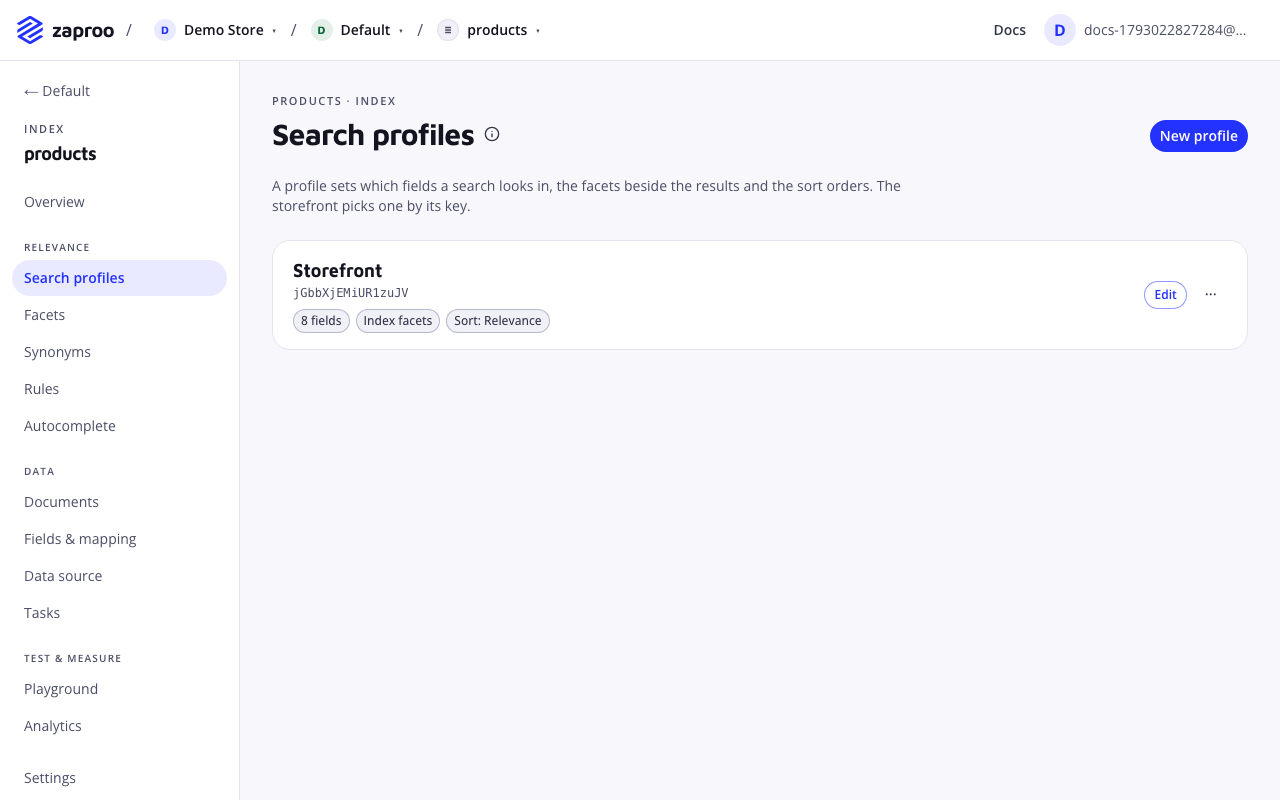
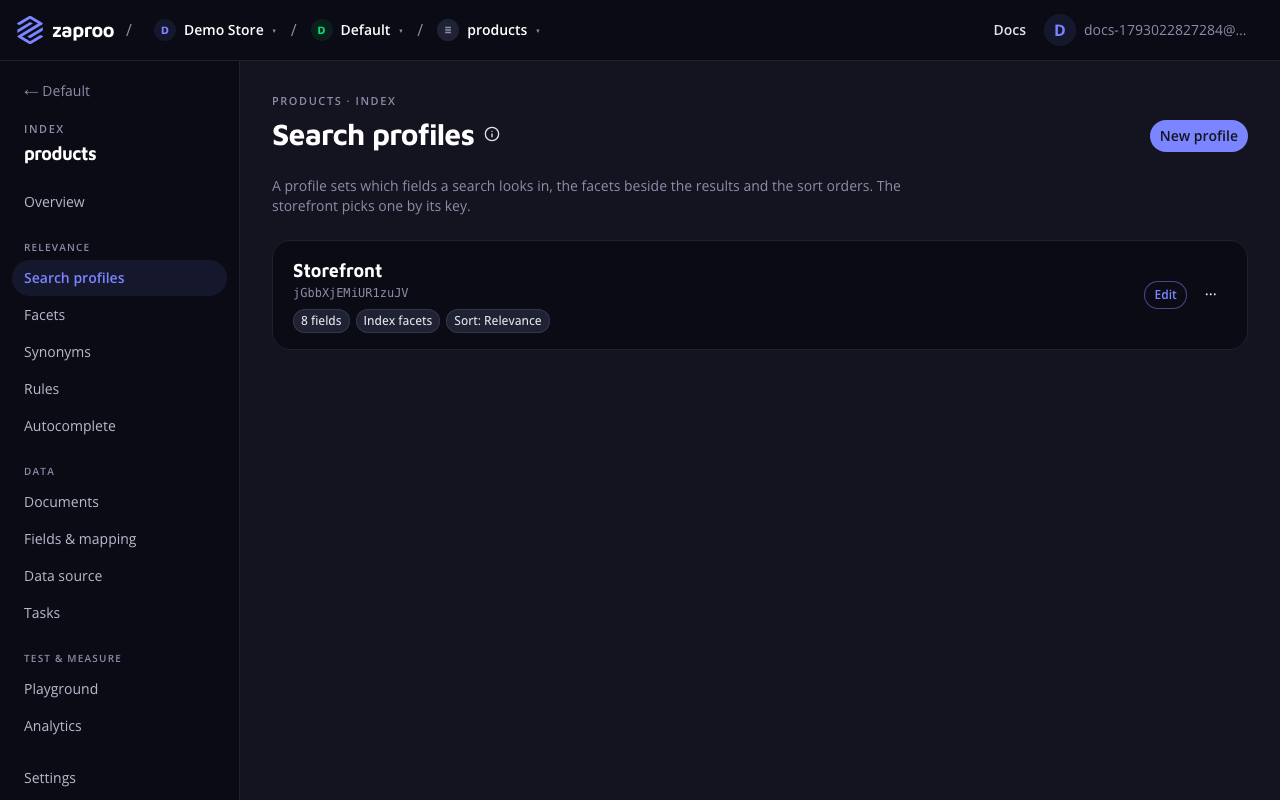 The profile key sits under the profile name
The suggest key
Open the index's Autocomplete page. The Suggest key box has a Copy button. The autocomplete box sends this key in the suggest URL. See Autocomplete.
The profile key and the suggest key are not secrets. Every request still needs the API key.
Call the API from the browser
Use a public key (zs_pk_…) whose Allowed origins list your shop's domains, for example shop.example.com and *.shop.example.com. A public key can only search and suggest, so it is safe in frontend code. The browser sends the page's Origin header with every call, and the API answers only the origins on the key's list; any other site gets 403 ORIGIN_NOT_ALLOWED. See API keys.
const API = 'https://api.search.zaproo.cloud/v1';
const KEY = 'zs_pk_...'; // public key, allowed on https://shop.example.com
const PROFILE_KEY = '...'; // the search profile's profileKey

export async function search(body) {
  const res = await fetch(`${API}/search/${PROFILE_KEY}`, {
    method: 'POST',
    headers: { Authorization: `Bearer ${KEY}`, 'Content-Type': 'application/json' },
    body: JSON.stringify(body),
  });
  if (!res.ok) throw new Error((await res.json()).error.code);
  return res.json();
}
Or from your server
Server-rendered pages can call the same routes from the shop's server. Use a secret key with read access, limited to the index the shop searches (see API keys): a server call sends no Origin header, so a public key answers 403 ORIGIN_NOT_ALLOWED there.
curl -X POST https://api.search.zaproo.cloud/v1/search/$PROFILE_KEY \
  -H "Authorization: Bearer $ZS_KEY" -H "Content-Type: application/json" \
  -d '{"q": "packing tape", "filters": {"color": ["Brown", "Clear"]}, "sort": "price:asc", "page": 1}'
Search results page
POST/v1/search/:profileKeyPublic key from an allowed origin, or any secret key of the projectThe request body holds only what the shopper chose. Everything else, such as the fields to search and the facets to show, comes from the profile.
| Field | Type | Default | What it does |
|---|---|---|---|
q | string, up to 500 characters | "" | The query. An empty query returns every product, which is how a category page works. An empty-search rule picks the products that lead when there are no filters either. |
filters | field → filter | {} | The facet values and other filters the shopper selected. |
sort | string | the profile's default sort | One of the profile's sort options, for example price:asc. |
page | integer from 1 | 1 | The page of results. |
perPage | integer | the profile's perPage.default | Results per page, up to the profile's perPage.max. |
highlight | boolean | false | Adds _highlight to every hit with the matched words marked. |
sessionId | string, 1 to 100 letters, digits, - or _ | none | One id per visitor, so paging through results stays stable. |
The answer:
{
  "items": [{ "id": "tape-48", "title": "Brown packaging tape 48mm", "color": "Brown", "price": 1.86 }],
  "total": 42,
  "page": 1,
  "perPage": 24,
  "facets": [
    { "type": "terms", "field": "color", "label": "Color", "items": [{ "key": "Brown", "count": 18, "selected": true }] }
  ],
  "correctedQuery": null,
  "tookMs": 12
}
- Show
totalas the result count and build the pager fromtotalandperPage. A page must start within the first 10000 results, so offer filters rather than page 500. - When
correctedQueryis set, the query found nothing and did-you-mean found a better spelling. Ifitemsis not empty, the results come from that spelling: show "Showing results for correctedQuery". Ifitemsis empty, the profile only suggests it: show "Did you mean correctedQuery?" as a link. - A hit carries the fields the profile returns. A hit placed by a ranking rule also has
"_pinned": true.
Facets
Each entry in facets describes one facet to draw. Its items are the values with their product counts, and selected marks the values the current filters picked.
type | Draw it as | Filter to send when the shopper picks a value |
|---|---|---|
terms | A list of checkboxes | {"color": ["Brown", "Clear"]}. Several values match any of them. |
range | A list of price bands | {"price": {"gte": 100, "lt": 500}}, using the item's from and to. |
stats | A slider from min to max | {"price": {"gte": 150, "lte": 400}} |
hierarchy | A category tree, one level at a time | {"categories": ["Tapes>Duct tapes"]}. The facet then lists the children of the deepest selected node. |
Filters on different fields must all match. A request may filter only on fields the profile has as facets or lists under filterFields. Any other field answers 400 FILTER_NOT_ALLOWED. A filter also accepts a single value, {"inStock": true}, and {"exists": true}. Search profiles explains how to set up facets and filter fields.
Autocomplete box
POST/v1/suggest/:suggestKeyPublic key from an allowed origin, or any secret key of the projectSend what the shopper has typed so far, up to 100 characters:
curl -X POST https://api.search.zaproo.cloud/v1/suggest/$SUGGEST_KEY \
  -H "Authorization: Bearer $ZS_KEY" -H "Content-Type: application/json" \
  -d '{"q": "ta"}'
{
  "suggestions": [
    { "text": "duct tape", "kind": "query", "facetHint": { "key": "categories", "value": "Tapes>Duct tapes" } },
    { "text": "Tapes", "kind": "field", "facetHint": null }
  ],
  "searchProfileKey": "Ab3dE9xQk2LmP0sT",
  "tookMs": 3
}
- With an empty
q, the answer lists the most searched queries, if autocomplete is set to show them. Ask for them when the search box gets focus. To show products in the same dropdown, send a search with an emptyqat the same time, and choose the products with an empty-search rule. - When the shopper picks a suggestion, search for its
textwith the profile insearchProfileKey. If the suggestion has afacetHint, add it as a filter:{"categories": ["Tapes>Duct tapes"]}. - Wait until the shopper pauses typing, about 150 ms, before you send the request. Drop answers that arrive after a newer request went out.
Common mistakes
- Forgetting a domain on the public key. A page on
www.shop.example.comneedswww.shop.example.comor*.shop.example.comon the key's allowed origins, not onlyshop.example.com. Otherwise the API answers403 ORIGIN_NOT_ALLOWED. - Putting a full-access secret key into frontend code. Anyone can read it and delete your indices. Keep secret keys on the server, and use read access for search.
- Sending a sort the profile does not offer. The API answers
400 SORT_NOT_ALLOWED. Show only the profile's sort options. - Filtering on a field that is not a facet. Add the field to the profile's
filterFieldsfirst (in the profile editor or through the API), or the API answers400 FILTER_NOT_ALLOWED.